Xodo PDF for Linux
Xodo for Linux is a powerful and flexible PDF editor designed to help developers, professionals, researchers, and Linux enthusiasts manage digital documents efficiently. Built to work smoothly across popular Linux distributions, Xodo provides a modern workspace where users can view, annotate, convert, and collaborate on PDF documents directly from their Linux systems. Whether you are reviewing technical documentation, editing research papers, or organizing project files, Xodo delivers a reliable and productive PDF workflow tailored for Linux environments.
Why Choose Xodo PDF Editor for Linux?
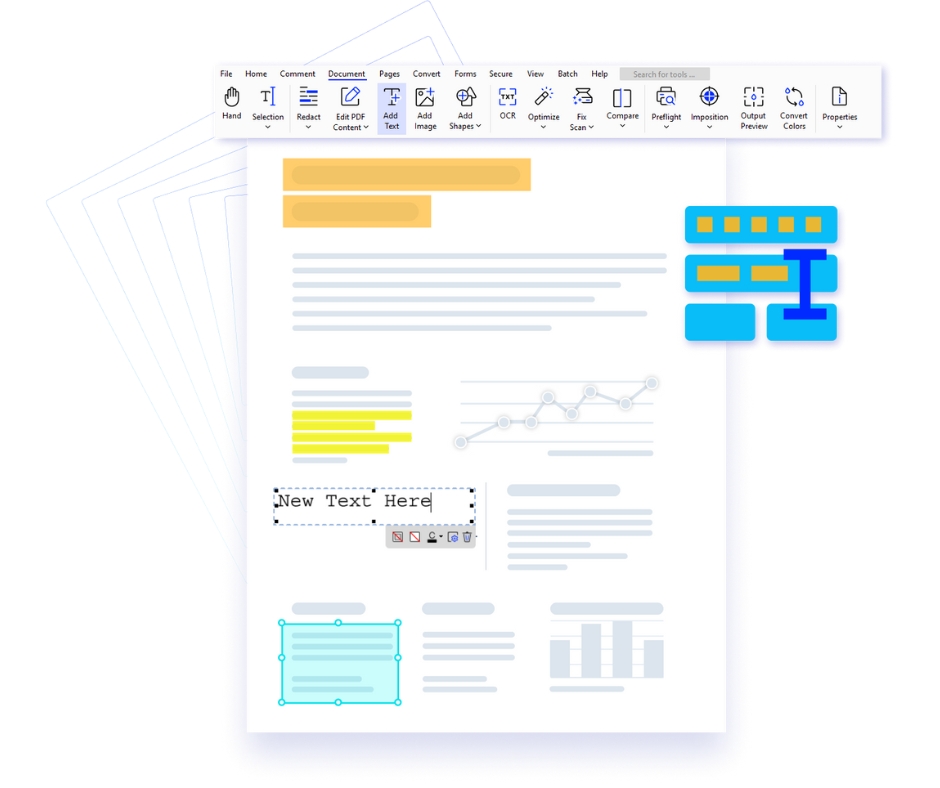
- Complete PDF Editing Toolkit – Easily edit text, insert images, rearrange pages, and customize PDF documents. Xodo’s clean and responsive interface allows Linux users to manage documents efficiently while maintaining layout accuracy.
- Advanced PDF Annotation – Highlight key information, underline text, add comments, and mark up files effortlessly. Ideal for reviewing research papers, contracts, project documents, and technical manuals.
- Cloud Integration Support – Connect with cloud services like Google Drive, Dropbox, and OneDrive to access your documents anywhere. Linux users can easily synchronize files across systems and maintain secure document storage.
- Real-Time Document Collaboration – Share PDFs through secure links and collaborate with teams or clients instantly. Comments, annotations, and suggestions can be reviewed in real time without sending multiple versions of files.
- Powerful Tools for Professional Workflows – From digital signatures and form filling to document conversion and OCR capabilities, Xodo helps developers, researchers, legal professionals, and corporate teams streamline document management on Linux systems.
Key Features of Xodo PDF Editor for Linux
- Advanced PDF annotation tools including highlight, underline, strikeout, and comments.
- Convert PDF documents to Word, Excel, PowerPoint, and other popular file formats quickly.
- Merge multiple PDF documents or split large files with precision.
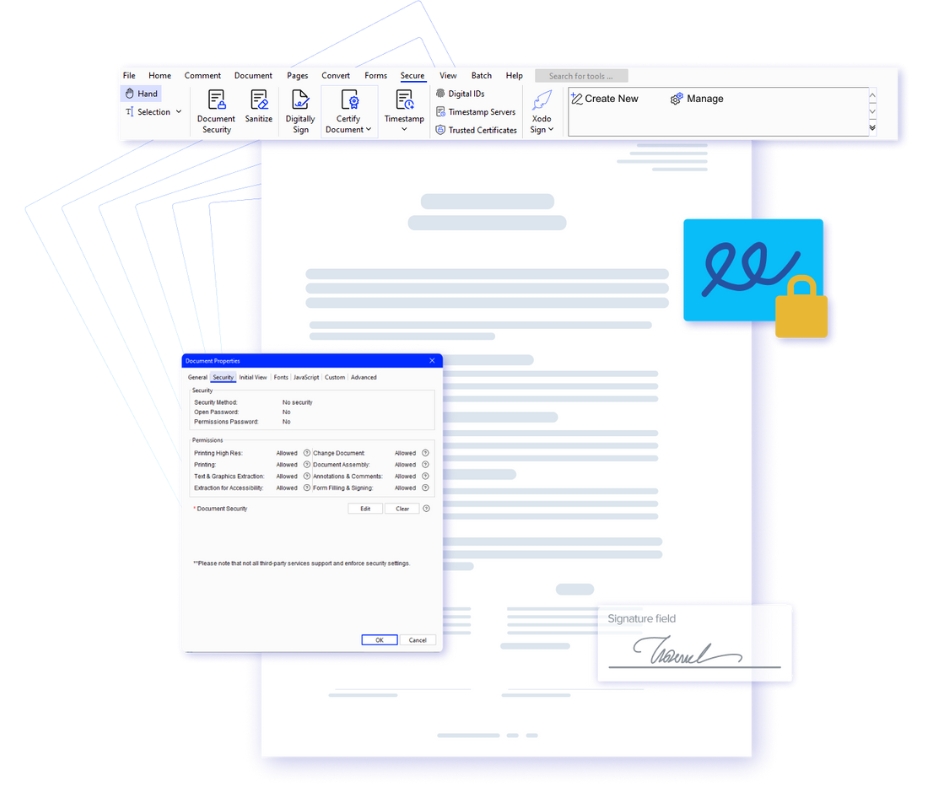
- Protect documents with password encryption and customizable access permissions.
- Securely share PDF documents with colleagues or teams using direct links.
Who Can Benefit from Xodo for Linux?
- Students: Organize research materials, annotate academic papers, and manage study documents efficiently on Linux systems.
- Developers & IT Professionals: Review technical documentation, manage project files, and collaborate on development resources.
- Researchers & Analysts: Annotate reports, review datasets, and organize professional documentation effectively.
Your Complete Linux PDF Productivity Solution
|
Edit PDFs Effortlessly Modify text, add notes, redact sensitive information, fill forms, and compress PDF documents quickly using intuitive Linux-based editing tools. |
Flexible File Conversion Convert documents, images, and other file formats into professional-quality PDFs. Export PDFs to Word, Excel, HTML, and PDF/A formats with ease. |
Batch Processing Tools Save valuable time by performing batch actions such as converting, merging, optimizing, OCR processing, signing, and securing multiple documents simultaneously. |
Advanced PDF Security Protect confidential documents using strong encryption, access permissions, and digital signatures to ensure safe and secure document sharing. |